Multiple Active Rulesets
You can run multiple rulesets at the same time on the same scoring surface — useful for A/B testing new scoring models, running campaign-specific scoring alongside general scoring, or staging changes before promotion. This page covers the limits, interactions, and visibility model when you do.
Why Run Multiple Rulesets?
- A/B testing. Run an experimental ruleset next to your production one. Both produce scores; you compare to see which gives a tighter cohort of conversions.
- Campaign-specific scoring. A holiday campaign might warrant aggressive weighting on certain events without permanently changing your standard model.
- Specialized motions. Different rulesets for different products, business units, or geographies running concurrently.
- Staged rollouts. Build a new ruleset, watch it run for a week, then promote to primary.
Limits
- Each organization can have up to 4 active rulesets simultaneously per scoring surface.
- More than that and you'll likely create operational confusion regardless of whether the system supports it.
How Multiple Rulesets Interact
- All active rulesets contribute scores independently. They don't merge or sum.
- Each ruleset maintains its own score for each lead.
- Rules within one ruleset don't see or affect rules in another.
- Only the primary ruleset's score shows by default in the UI; the others are visible in tooltips and per-ruleset score maps.
This independence is what makes multi-ruleset testing work — your experiments don't pollute production scoring.
Score Visibility
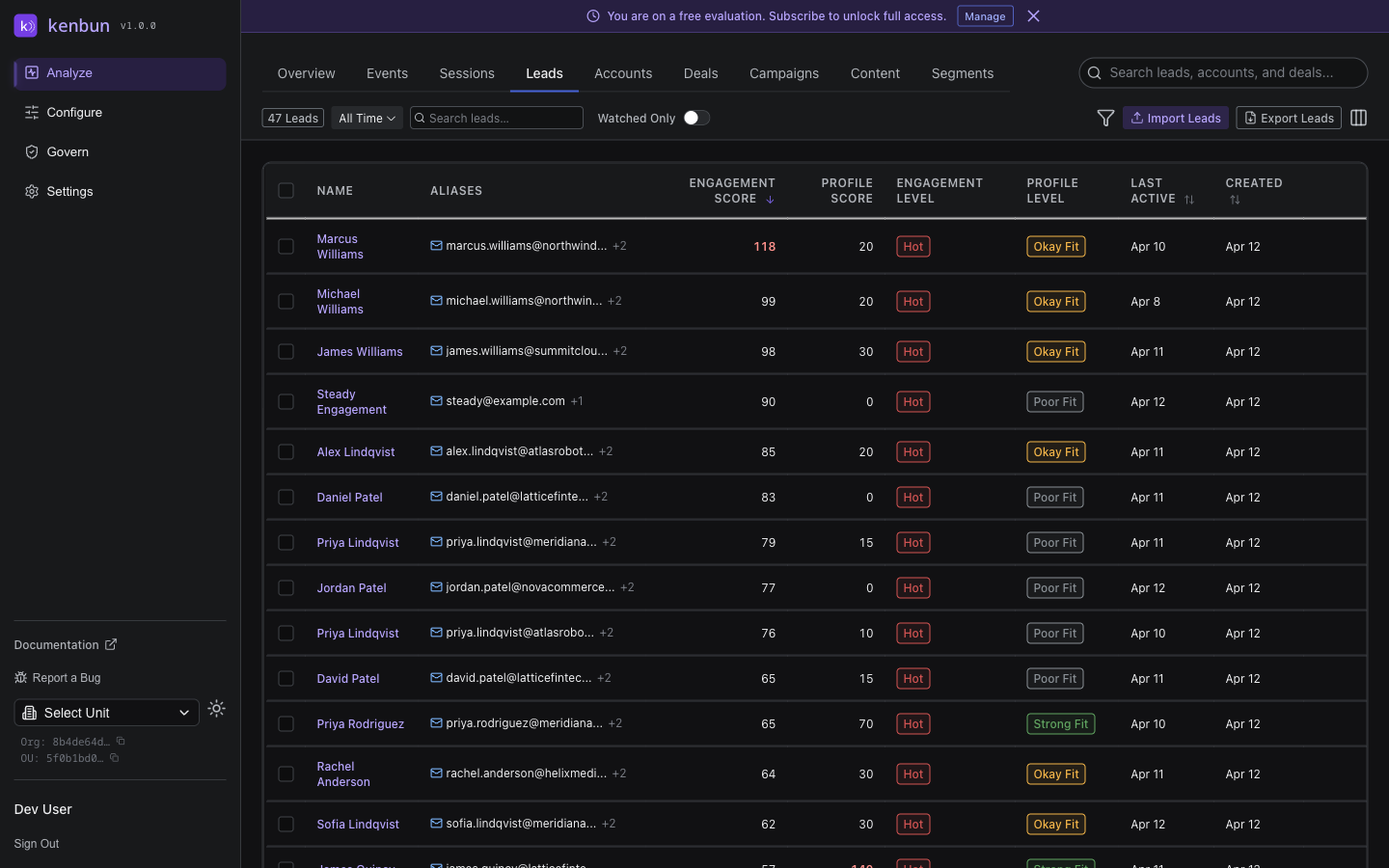
When multiple rulesets are active, the Leads table shows the primary score in each cell. Hover for a tooltip that lists the top three alternate ruleset scores for that lead. The tooltip only appears when at least two rulesets have scores for the lead — single-ruleset leads have no alternates to show.
The Leads toolbar shows badges for the primary engagement and primary profile ruleset names. When the filter set has leads with different primaries (this is rare and usually transitional), the badge reads "varies by lead" so you know the displayed primary isn't uniform.
Transitioning Between Rulesets
The standard pattern for replacing a ruleset:
- Create the new ruleset alongside the existing one. Don't make it primary yet.
- Activate both. Both produce parallel scores.
- Compare. Use the tooltip alternates on the Leads table, or query both score fields via API, to see how the new ruleset would tier leads differently.
- Adjust the new ruleset as needed — weights, conditions, time-based activations.
- Promote the new ruleset to primary when confident.
- Deactivate the old ruleset if you don't need it for historical comparison.
This staged transition prevents the "everyone's score changed overnight" problem that one-shot ruleset replacement causes.
Practical Patterns
Running an Experiment
Active:
  - General Engagement (primary, production)
  - Engagement v2 (experimental, not primary)

Both produce scores. Tooltip on the Leads table shows
both side-by-side for comparison.
Holiday Campaign Layered On
Active:
  - General Engagement (primary)
  - Holiday Campaign (date-bounded, not primary)

The holiday ruleset only fires Dec 1-31. Its score
field is separate from the primary score, so
campaign attribution stays cleanly bucketed.