Rulesets
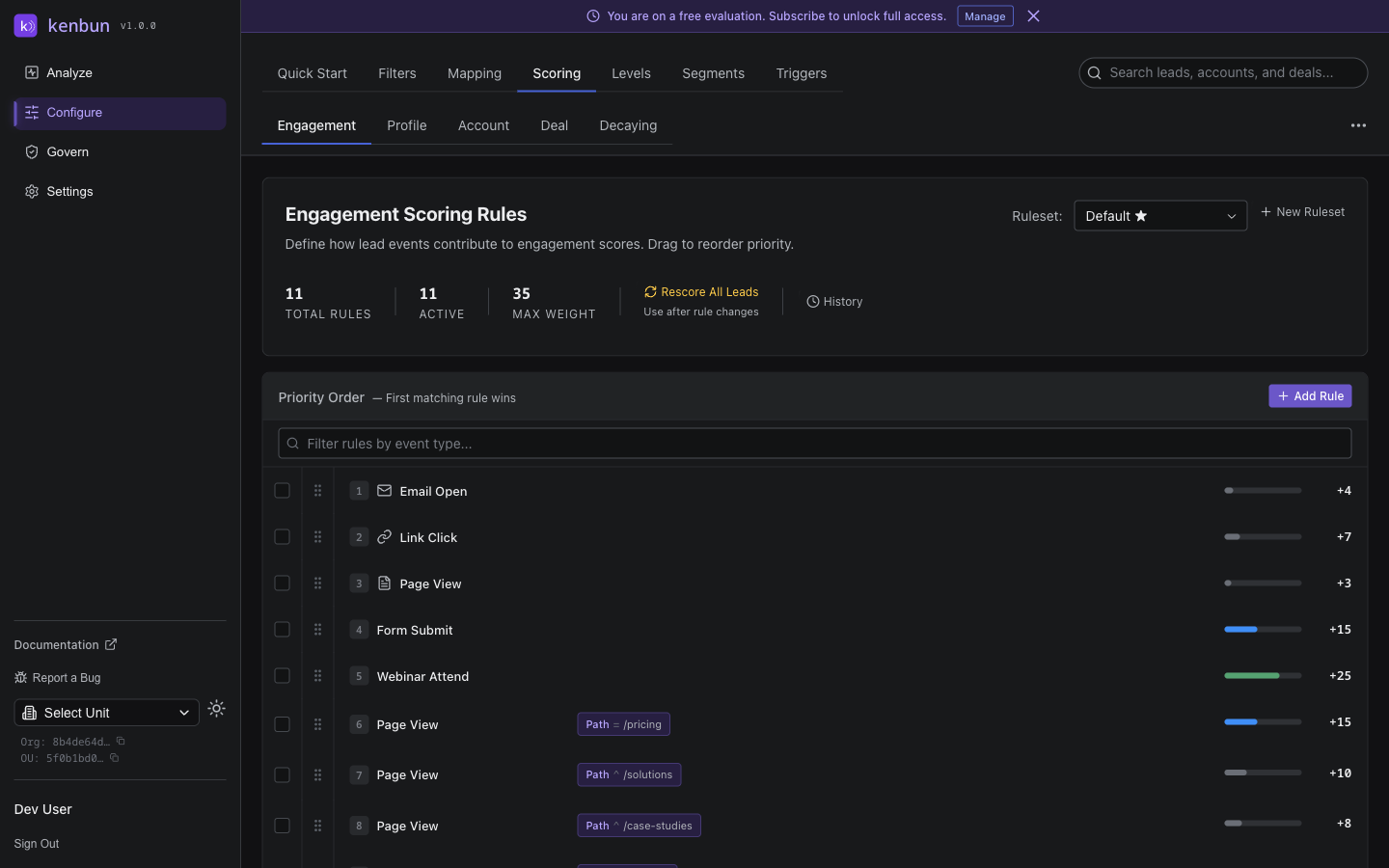
Rulesets are containers that group related scoring rules together, making it easier to manage different scoring approaches and test various methodologies. They're fundamental to creating a flexible, scalable lead scoring system that can adapt to your organization's evolving needs.
Understanding Rulesets
A ruleset is essentially a collection of scoring rules that work together to evaluate lead engagement. Each ruleset maintains its own scoring logic, allowing you to create specialized scoring systems for different purposes within your organization.
Purpose of Rulesets
Rulesets serve several important functions:
Organization and Management
- Group related scoring rules for easier maintenance
- Enable/disable entire collections of rules at once
- Simplify complex scoring configurations
Testing and Experimentation
- Run A/B tests with different scoring methodologies
- Compare effectiveness of different rule combinations
- Implement gradual changes without disrupting existing systems
Specialized Scoring Approaches
- Create different rulesets for different lead types or segments
- Implement industry-specific scoring for various business units
- Support different product lines with targeted scoring logic
Staged Rollouts
- Deploy new scoring approaches to subsets of leads
- Gradually transition from old to new scoring systems
- Maintain legacy approaches while testing innovations
Creating Rulesets
Basic Ruleset Setup
- Open the Configure section of the dashboard
- Select Rulesets from the navigation menu
- Click New Ruleset and provide a descriptive name
- Configure optional settings such as status and date ranges
- Save to begin adding rules to the ruleset

Ruleset Configuration Options
Each ruleset can be configured with several important parameters:
Name
- A clear, descriptive identifier for the ruleset
- Should reflect the purpose or approach of the contained rules
- Helps team members understand the ruleset's role
Status
- Active: Ruleset is currently influencing lead scores
- Inactive: Ruleset is configured but not currently in use
- Allows for easy enable/disable of entire scoring approaches
Date Ranges
- Start At: When the ruleset should begin influencing scores
- End At: When the ruleset should stop influencing scores
- Enables time-based activation for campaigns or trials
Score Field
- Custom score field used to track this ruleset's scores
- Lets you track multiple score types per lead (e.g., MQL vs. PQL)
- Helps with reporting and segmenting by score type
Example Implementations
Marketing Qualified Leads Ruleset
Name: MQL Scoring - Standard
Purpose: Score leads based on marketing engagement
Status: Active
Score Field: mql_score
Rules:
- email_open: +5 points
- webinar_attended: +20 points
- whitepaper_download: +10 points
- form_submission: +15 points
Product Qualified Leads Ruleset
Name: PQL Scoring - Usage Based
Purpose: Score leads based on product engagement
Status: Active
Score Field: pql_score
Rules:
- login: +3 points
- feature_used: +5 points
- api_call: +2 points
- upgrade_action: +25 points
Campaign-Specific Ruleset
Name: Cyber Monday Campaign
Purpose: Special scoring for holiday campaign leads
Status: Scheduled (Dec 1-7)
Score Field: campaign_score
Rules:
- email_open: +10 points
- product_page_view: +15 points
- cart_add: +20 points
- purchase: +100 points
Best Practices
Naming Conventions
Establish clear naming patterns for your rulesets:
- Include purpose or function (e.g., "MQL Scoring")
- Add version or date information if applicable
- Use consistent formatting across all rulesets
- Avoid generic names like "New Rules" or "Version 2"
Organizational Strategy
Consider how to structure your rulesets for maximum effectiveness:
- Group by business function or team responsibility
- Separate permanent rulesets from experimental ones
- Create clear hierarchies for testing variations
- Document relationships between different rulesets
Implementation Approach
Start with these recommendations:
- Create one primary ruleset for your main scoring approach
- Add experimental rulesets for A/B testing new methodologies
- Develop specialized rulesets for key segments or products
- Implement temporary rulesets for campaigns or promotions
Managing Multiple Rulesets
Active Ruleset Limits
While you can create multiple rulesets, there are practical considerations:
- Each organization can have up to 4 active rulesets simultaneously
- More active rulesets may impact system performance
- Consider strategic priorities when deciding which rulesets to activate
Ruleset Interactions
Understand how multiple rulesets interact:
- All active rulesets contribute to lead scores independently
- Each ruleset maintains its own score column
- Scores from different rulesets can be combined or used separately
- Rules within each ruleset function independently of other rulesets
UI: Legends and Tooltips on the Leads page
- When multiple rulesets are active, the Leads table shows score tooltips listing the top three alternate ruleset scores (excluding the primary) for each score cell.
- Tooltips appear only if at least two rulesets have scores for a given lead; with a single ruleset there are no alternates, so no tooltip.
- The Leads toolbar shows badges for the primary engagement and primary profile ruleset names when consistent across the filtered results; if different leads use different primaries, the badges indicate "varies by lead".

Transitioning Between Rulesets
Strategies for updating your scoring approach:
- Create new ruleset alongside existing one
- Run both concurrently to compare effectiveness
- Gradually adjust weighting or thresholds
- Activate new ruleset and deactivate old one
- Monitor results and make final adjustments
Why a Primary Ruleset?
When multiple rulesets are active, a lead can have multiple concurrent scores (one per ruleset). The app still needs a single, unambiguous number to show by default. The primary ruleset designates which score is treated as the canonical default.
What the primary ruleset enables:
- A single number in the UI
- The Leads table, lead detail, default sorting, and level badges use one score by default. The primary engagement ruleset supplies this number. Other active ruleset scores remain available in tooltips and the per‑ruleset score maps.
- Clear API defaults
- Many endpoints expose a score without requiring a ruleset_id. When a primary is configured, the default score comes from the primary engagement ruleset. Per‑ruleset values are still returned in engagement_scores/profile_scores and ruleset_names.
- Per‑OU control
- Primary rulesets are configured per Organizational Unit (OU), so different OUs can choose different defaults independently.
- Experiments without confusion
- Run multiple rulesets for A/B tests or specialized scoring while keeping one canonical score for day‑to‑day operations. Switch the primary when you’re ready to roll out a new approach.
- Consistent levels and sorting
- Level calculation and default sorting in the UI use the primary engagement score to keep prioritization consistent.
- Profile and account parity
- Similarly, you can designate a primary profile ruleset to provide a single default "Fit" score. In Phase 2 with ABM enabled, you can also designate a primary account ruleset.
Fallback behavior:
- If no primary is configured for an OU, the UI falls back to the highest engagement score across active rulesets so lists and levels remain usable. Setting a primary is still recommended to avoid ambiguity.
How to set the primary:
- In the app: Go to Configure → Rulesets and choose "Set as primary" for the desired ruleset. You can set one primary for engagement and one for profile per OU.

- Via API: When creating a ruleset, include
is_primary: true.- Engagement:
POST /rulesetssupportsis_primary. - Profile:
POST /profile-scoring/rulesetssupportsis_primary. - Account (Phase 2, requires ABM):
POST /account-scoring/rulesetssupportsis_primary.
- Engagement:
Advanced Configuration
Ruleset Dependencies
Create sophisticated scoring workflows:
- Implement rulesets that trigger only for specific lead segments
- Build cascading ruleset activation based on lead behavior
- Develop progressive scoring that activates different rulesets over time
Temporal Ruleset Management
Use time-based features effectively:
- Schedule seasonal campaign rulesets to activate automatically
- Implement rulesets with expiration dates for limited-time offers
- Create rotating rulesets for ongoing experimentation programs
Performance Optimization
Manage ruleset impact on system performance:
- Keep individual rulesets focused on specific purposes
- Archive or delete obsolete rulesets regularly
- Monitor performance impact of active rulesets
- Balance complexity with business value
Troubleshooting
Ruleset Not Influencing Scores
Verify these common issues:
- Confirm ruleset status is set to "Active"
- Check that associated rules have valid configurations
- Ensure lead events match the ruleset's triggering conditions
- Verify date ranges include current period
Performance Issues
When rulesets impact system performance:
- Reduce number of simultaneously active rulesets
- Simplify complex rule configurations
- Review rule efficiency and optimize where possible
- Consider breaking large rulesets into smaller collections
Scoring Inconsistencies
For unexpected scoring behaviors:
- Check for conflicting rules across different rulesets
- Verify event type names match exactly
- Ensure rules have appropriate point values and activation status
- Review date range configurations for all relevant rulesets
By effectively managing rulesets, you create a flexible, powerful lead scoring system that can evolve with your business needs while maintaining consistent, actionable insights for your sales team.