Sessions
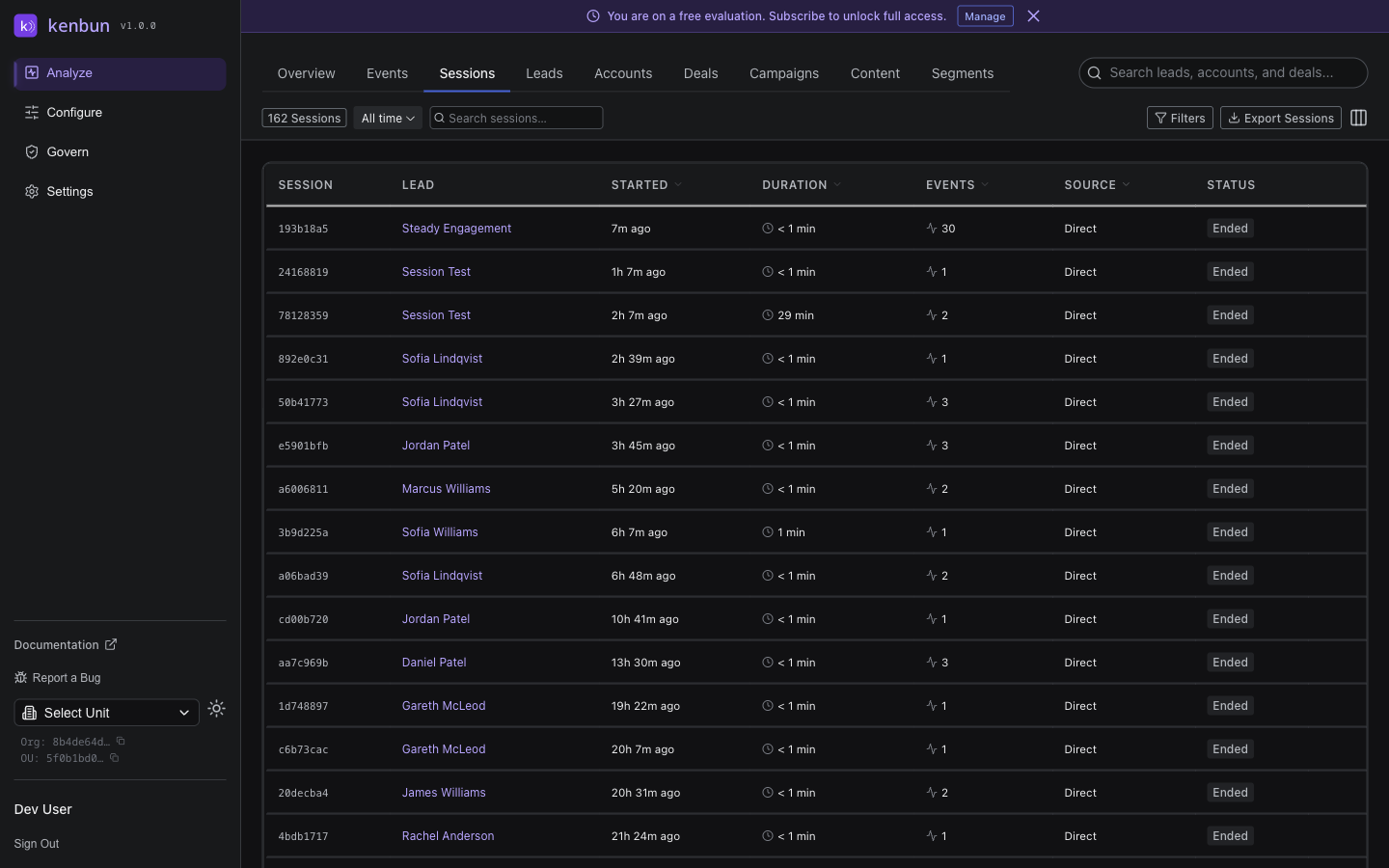
The Sessions view groups related events into browsing sessions, making it easy to understand the full journey a lead took through your site or emails.
What Is a Session?
A session represents a continuous period of activity from one lead. Events are grouped into the same session if they occur within a short time window (typically 30 minutes) with no gaps.
Example session:
10:00 AM - Opened marketing email
10:02 AM - Clicked link to pricing page
10:03 AM - Viewed pricing page
10:05 AM - Viewed case study page
10:07 AM - Submitted contact form
All five events belong to one session because they happened close together.
What You'll See
Each session shows:
- Lead: Who performed the session
- Start Time: When the session began
- Duration: How long the session lasted
- Event Count: Number of events in the session
- Entry Point: First action (e.g.,
Email OpenorPage View) - Exit Point: Last action before the session ended
- Total Points: Combined points from all events in the session
Why Sessions Matter
Understand Lead Intent
Sessions reveal behavior patterns that individual events can't show:
High Intent Session:
Email open → Pricing page → Case study → Demo request
This lead is clearly evaluating your product seriously.
Low Intent Session:
Email open → Unsubscribe
This lead isn't interested right now.
Research Session:
Blog post → Related article → Documentation → Another blog post
This lead is educating themselves—nurture them over time.
Identify Conversion Paths
Find the journeys that lead to conversions:
- Filter to sessions that ended in a demo request or trial signup
- Look at entry points: Which channels bring high-intent traffic?
- Look at the sequence: What content do converting leads consume?
Spot Engagement Drops
If sessions are short or have few events, you might have:
- Unclear messaging that drives bounces
- Broken links or technical issues
- Poorly targeted campaigns
Filtering Sessions
Narrow down sessions by:
- Lead: View all sessions for one person
- Date Range: Focus on a specific time period
- Duration: Find long or short sessions
- Event Count: Find high-activity sessions
- Entry/Exit Points: Sessions that started or ended with specific actions
Sessions vs. Events
Events show every individual action (granular).
Sessions group related actions together (behavioral context).
Use Events when you need to debug specific actions. Use Sessions when you want to understand how leads interact with your business.
Common Questions
How long does a session last?
A session continues until there's a 30-minute gap with no activity. After 30 minutes of inactivity, the next event starts a new session.
Can one lead have multiple sessions?
Yes. A lead might have dozens of sessions over weeks or months as they engage with your content at different times.
Do sessions affect scoring?
No. Sessions are just a way to view events grouped together. The individual events still award points based on your scoring rules.
API Access
Session data can be accessed programmatically -- contact support for API access details. Sessions are calculated on-the-fly from event data.
Related Pages
- Events → - View individual events
- Leads → - See lead profiles and scores
- Accounts → - See account-level engagement
- Segments → - Group leads by behavior patterns