Event Types
Event types categorize every interaction a lead has with your business (e.g., Page View, Signup, Email Open). They power analytics, rules, triggers, and scoring.
OU‑scoped visibility (enable/disable)
Event types are governed per Organizational Unit (OU). You can hide an event type in one OU while leaving it visible in another.
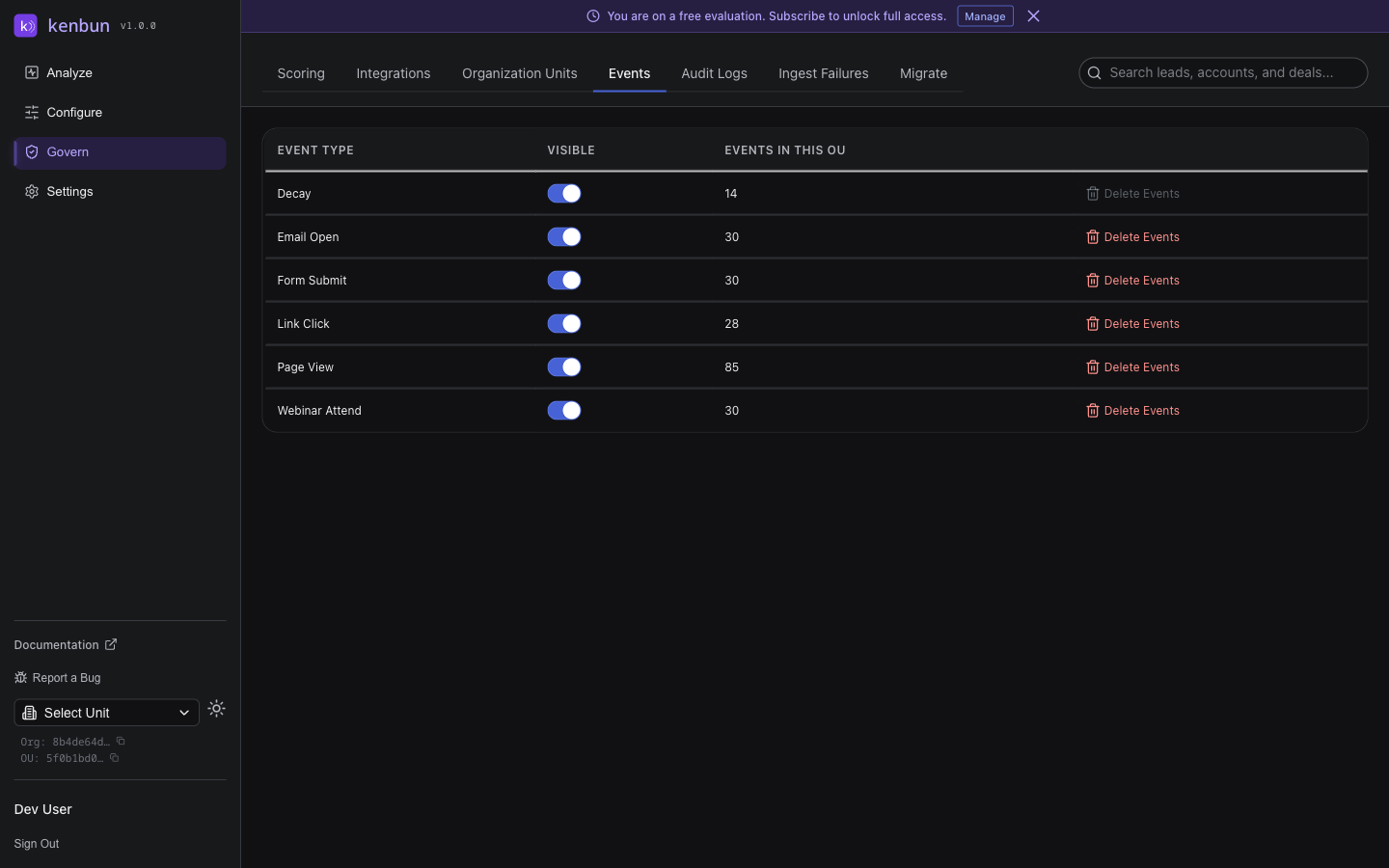
- Visible: appears in picklists (Rules, Triggers, Segments), counts in analytics, and shows in streams/tables for the active OU.
- Hidden: excluded from picklists and analytics in the active OU and treated as not selectable. Existing rules referencing a now‑hidden type won’t fire for new activity in that OU.
- Data is not deleted by hiding. You can re‑enable (show) at any time.
Manage visibility in Settings → Events:
- Toggle Visible using the switch per event type (OU‑scoped)
- See how many events of that type exist in the current OU
- Delete events for a type (see below) after a dry‑run
Delete events by type (OU)
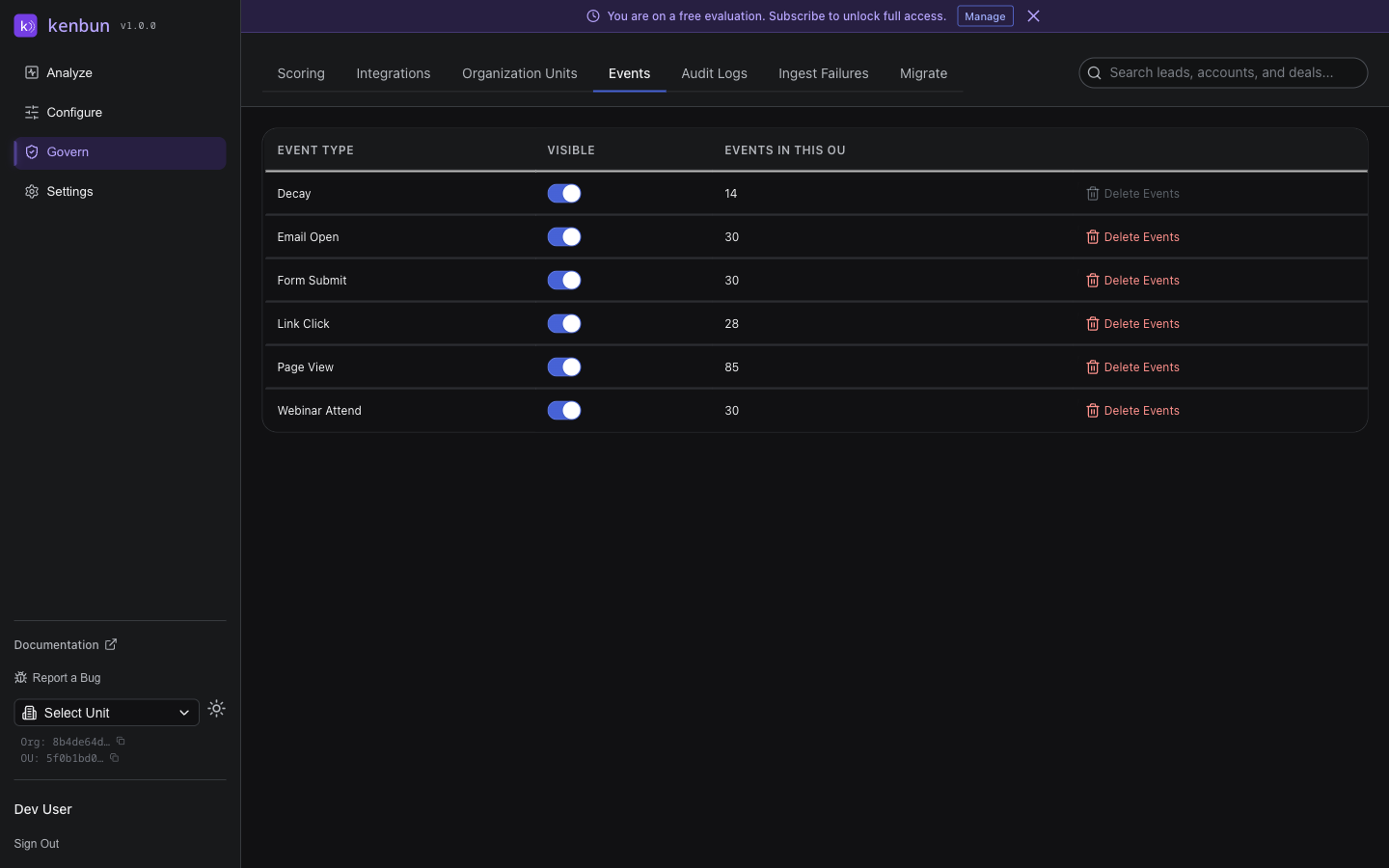
When you need to remove all events of a type in the active OU:
- Open Settings → Events
- Click "Delete Events" for the event type
- Review the dry‑run counts (events and event scores)
- Confirm to permanently delete
Notes:
- Only events in the active OU are deleted; Leads and Accounts remain
- Some protected types cannot be deleted
How this affects the UI
- Pickers: Event Type dropdowns only show visible types for the active OU
- Properties: Event property pickers are scoped to the selected Event Type and active OU
- Existing rules/triggers that reference a hidden type show a warning and will not fire until you switch to a visible type
Event Type Naming Convention
kenbun uses Title Case for all event type names (e.g., Page View, Form Submit, Email Open). Title Case makes event types more readable in dropdowns, reports, and notifications.
If your system previously used snake_case names (e.g., page_view), kenbun automatically deduplicates entries that exist in both formats. When the same event type appears in both snake_case and Title Case, the Title Case version is preferred in dropdowns and pickers.
Creating Event Types
Event types are created automatically when you ingest an event with a new event_type via the API, or when you reference a new type in certain UI workflows.
You can also enter a custom event type directly in the UI. When creating a scoring rule or manually creating an event, select Custom... from the event type dropdown and type your own event type name (up to 100 characters). This is useful when you want to create a rule for an event type that hasn't been ingested yet.
API Quick Reference
- List visible event types (OU): GET
/event-types→["Email Open", "Page View", "Signup", ...] - List properties for an event type (OU): GET
/event-types/{eventType}/properties→{ event_type, properties: [...] } - Settings (OU governance):
- GET
/settings/ou/event-types→[{ name, hidden, ou_event_count, protected, deletable }] - PUT
/settings/ou/event-types/{eventType}body{ hidden: true|false }→ 204 - GET
/settings/ou/event-types/{eventType}/dry-run-delete→{ events_count, event_scores_count } - DELETE
/settings/ou/event-types/{eventType}/events→ delete all events of the type in the active OU
- GET
All data is automatically scoped to your currently active Organizational Unit.
Best Practices
- Use consistent, descriptive names in Title Case:
Email Open,Form Submit,Page View - Periodically hide or delete types you no longer use to keep picklists focused
- Before deletion, dry-run to understand impact
Troubleshooting
- An event type is missing in pickers: it may be hidden for the current OU
- Property picker is empty: ensure an Event Type is selected and that events for that type exist in the active OU
- A rule stopped firing: check if the referenced Event Type was hidden in this OU